
🔏 EPFO Launches New Browser-Independent DSC Utility for Employers – Effective 10 October 2025
📢 Say goodbye to browser compatibility issues and hello to seamless digital signing!
🗞️ Introduction: A Digital Leap for Compliance with EPFO
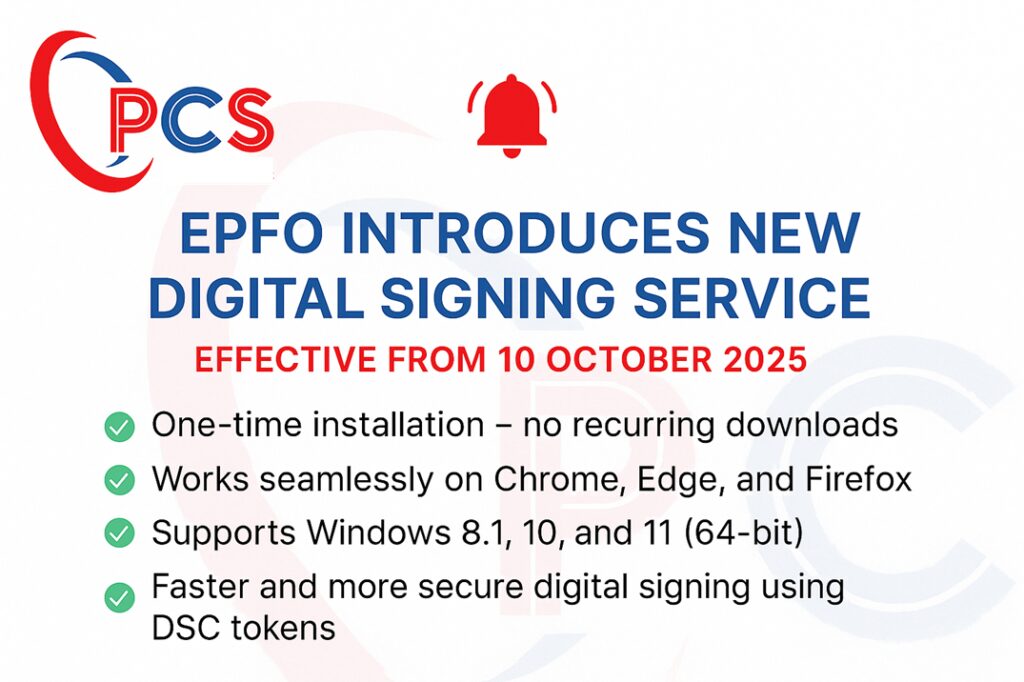
The Employees’ Provident Fund Organisation (EPFO) has rolled out a new Digital Signing Service (DSC) exclusively for employers using the Unified Portal. Effective from 10th October 2025, this game-changing utility eliminates browser dependencies and enhances digital security 🔐.
🎯 Targeted Purpose:
For now, this DSC utility is primarily designed for:
- 📝 Approving Joint Declaration Forms (especially for Higher Pension under EPS)
- ✅ Employer-side approvals requiring DSC authentication
✨ Key Highlights of the New EPFO DSC Utility
|
🔍 Feature |
🚀 Details |
|---|---|
|
💻 Platform Independence |
Works on Chrome, Firefox, and Microsoft Edge |
|
⚙️ One-Time Installation |
No recurring downloads after initial setup |
|
🔐 USB Token Authentication |
Secure signing using DSC USB tokens only |
|
🪟 Supported OS |
Windows 8.1, 10, 11 – 64-bit architecture only |
|
⚡ Faster Signing |
Optimised signing process for employer modules |
|
🏢 Where It Applies |
Unified Employer Portal – for digitally signing pension-related forms |
🖥️ System & Technical Requirements 📋
🔧 Before you begin, ensure the following are available on your system:
|
🔧 Hardware & Software |
✅ Minimum Requirement |
|---|---|
|
💽 Operating System |
Windows 8.1 / 10 / 11 (64-bit only) |
|
🌐 Supported Browsers |
Mozilla Firefox, Google Chrome, Microsoft Edge |
|
📦 Port |
Port 60015 must be open on your local machine |
|
🔑 DSC Requirement |
Valid Class 3/Type 2 DSC token with appropriate certificate authorities |
📥 How to Download and Install the EPFO DSC Utility
📌 Available only via EPFO Unified Portal login (Employer Interface)
🛠️ Step-by-Step Installation Guide:
1️⃣ Login to EPFO Unified Portal (Employer)
2️⃣ Navigate to the DSC-required service (e.g., Joint Declaration – Higher Pension)
3️⃣ Download EPFO_DSC_Signer_1.0.0.exe
4️⃣ Run the installer → Click “More Info” → “Run Anyway”
5️⃣ Accept the license agreement and complete the wizard
6️⃣ After setup, double-click DSC Service Icon on the desktop
7️⃣ Ready! The utility will now run in the background to support EPFO signing services 🧩
📍 Note: Install only once, unless a version upgrade is notified.
🌐 Browser Setup Instructions 🔐
After installation, you must import the dscCA2023 certificate into your browser’s Trusted Root Certification Authorities section.
🔸 For Mozilla Firefox:
- Navigate: Settings → Privacy & Security → View Certificates → Authorities → Import
- Locate: C:\Program Files (x86)\DSC Service\1.0.0\
- ✅ Trust the CA to identify websites
🔸 For Google Chrome & Microsoft Edge:
- Navigate: Settings → Privacy & Security → Manage Certificates
- Under Trusted Root Certification Authorities → Import Certificate
- ✅ Import from: C:\Program Files (x86)\DSC Service\1.0.0\
- ✅ Follow prompts → Finish → Confirmation popup ✔
📌 How to Use the New DSC for EPFO Services
- 🔑 Login to Employer Unified Portal
- Navigate to DSC Enabled Menu (e.g., Higher Pension Joint Declaration)
- Select action: Approve/Reject
- Plug in your DSC USB Token 🔌
- Choose the signatory name → Click Sign PDF
- Enter DSC PIN
- ✅ Success message will confirm the signing
- 📂 Verify the document to ensure the correct digital signature is applied
🧯 Common Error: CRL Verification Timeout ⏳
If you face “CRL verification timeout” errors, it’s usually due to:
🧱 CRL URL Blocked by Network Firewall
🌐 Internet not reaching the CRL (Certificate Revocation List) servers
🛠️ Solution:
- Identify the CRL URL from your certificate details
- Open it via your browser
- If unreachable, request your IT/Admin team to whitelist the URL 🔓
🎯 Why This DSC Update Is Important for Employers
🚀 With EPFO’s increasing push towards paperless digital governance, this DSC utility:
- 💼 Streamlines Pension on Higher Wages processing
- 📊 Reduces turnaround time for approval workflows
- 🔐 Enhances data integrity via secure signing standards
- 🌍 Enables cross-browser compatibility for all employers across India
📣 Final Words: Don’t Delay — Act Before You Miss the Deadline!
The new DSC process is mandatory from 10th October 2025. Start your configuration early to avoid last-minute hassles. Compliance delayed is compliance denied! ⚠️
✅ “Simplify Compliance. Secure the Future.”
🛡️ PCS – Your Compliance Partner for PF, ESIC, LWF & Beyond!